



Effortlessly
plan and design
parking lots without CAD
Design your parking lot with ease and efficiency,
using our web-based tool that eliminates the need for CAD.
Customize stall sizes, comply with industry guidelines,
optimize layouts with real-time stall counts
to maximize real estate, all from the convenience
of your browser.

Plan, design, and get faster approvals
for your proposed parking lot

Use your own drawings
Easily upload an image or CAD drawing
of your lot plan or use the Google Map feature.
If those are not available, easily draw
the perimeter/boundary of the lot
within the app.

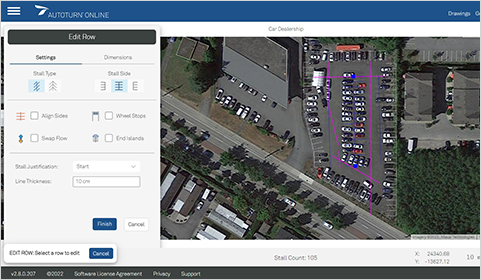
Easily select stall sizes and generate parking rows
Eliminate the tedious process of manually drawing stalls. Automatically generate stalls around the perimeter of your lot, with the ability to add more rows and monitor real-time stall counts. Customize your design by incorporating islands, wheel stops, and adjust stall sizes for larger vehicles or accessibility needs.

Optimize your design
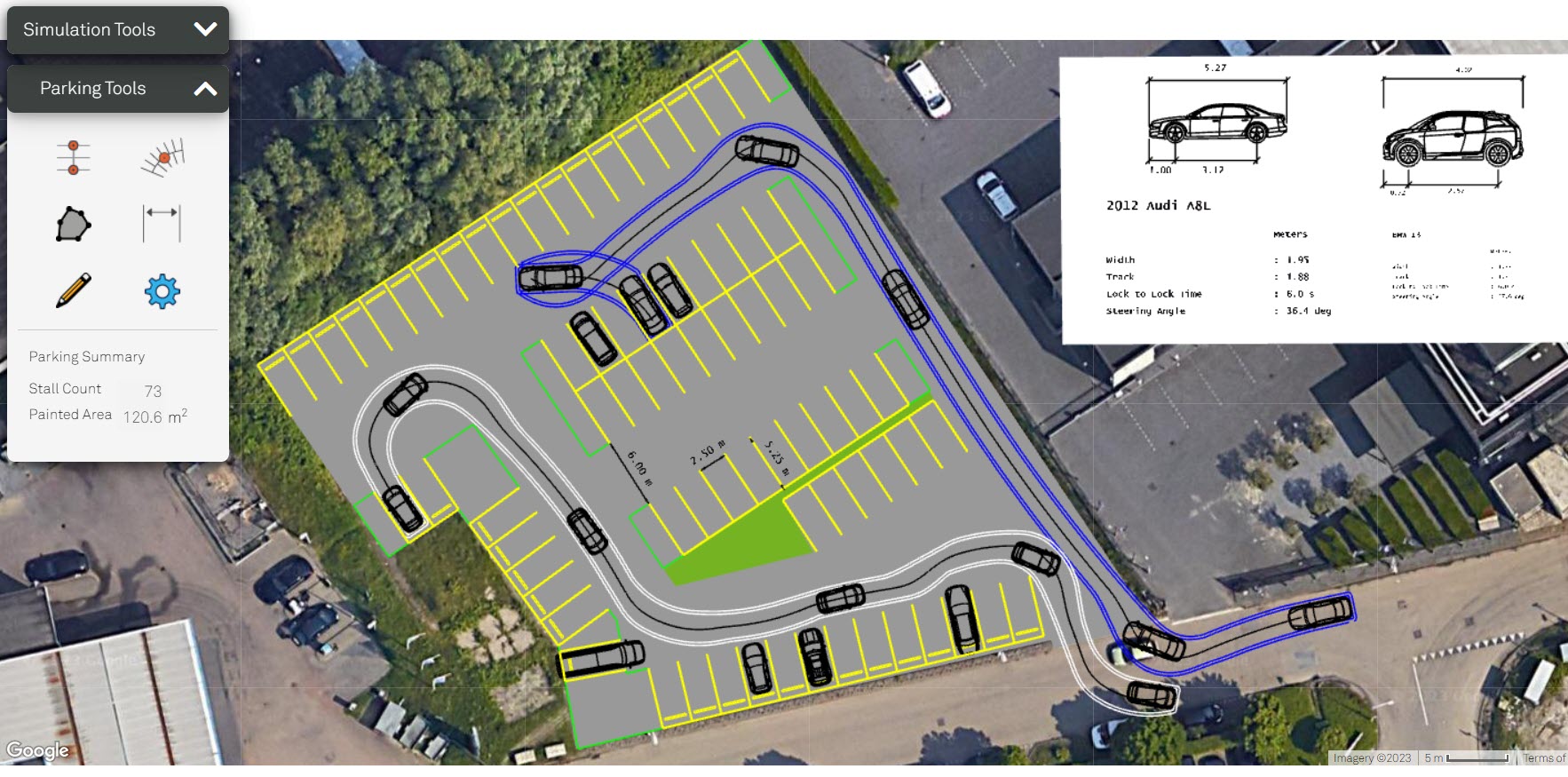
Design various configuration options to compare the layout, stall rotation and dimensions that work best for your space. Analyze various vehicle turning movements with the built-in swept-path analysis tool to ensure vehicles can drive in and out of stalls and access points smoothly.
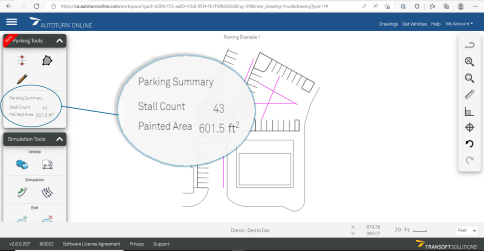
See Real-Time Stall Counts as You Plan
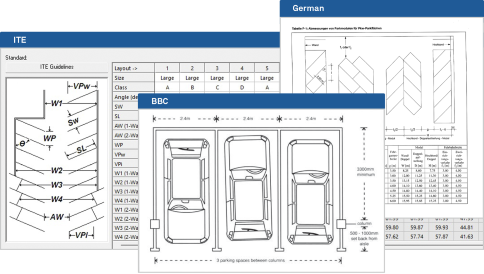
Design an efficient parking lot with the pre-set local guidelines
and view real-time stall count as you place them in your plan.
Easily set your stall angles that fit your lot’s purpose
and allow for an easy park for most vehicles.
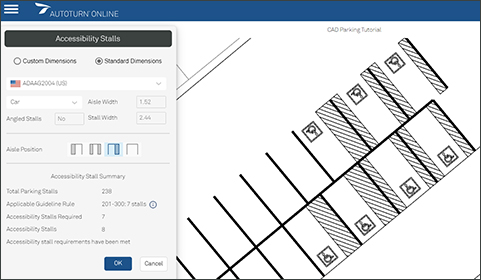
Accessibility Made Easy
Effortlessly incorporate accessibility stalls following various national guidelines. Streamline your process, ensuring compliance and inclusivity.
- Immediately determine the minimum number of accessibility stalls required based on your parking area’s capacity.
- Design stalls with correct dimensions to cater to differently-abled individuals.
Accommodate Any Driver
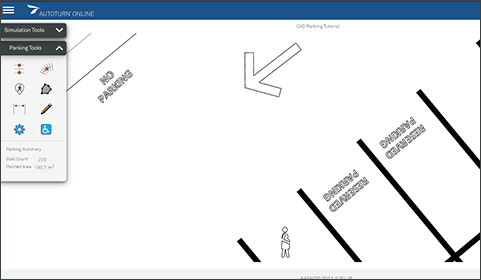
Personalize your parking spaces with pavement marking symbols indicating family-friendly spots, designated areas for expecting mothers, text such as “reserved” and more.
Enhance the user experience and make your parking area welcoming to all.
Design for Multiple Considerations
Design parking lots for different purposes depending on your facility’s city, industry and building type.
Implement unique needs like special truck lanes, accessible stalls and more.
Faster Approvals on Your Conceptual Design
Draw parking stalls that follow general guidelines and industry standards to ensure your plans are functional.
Develop your conceptual plans for submission to the local authorities for building permit approvals.
Assess Vehicle Turning Movement
Analyze over 1000 different types of vehicles such as passenger and commercial vehicles entering and exiting, circulating through and accessing the parking lot and stalls.
Ensure your plan is accessible and functional without causing conflict with other vehicles and/or objects.
Pricing


Parking Lot Design & Vehicle Swept Path Analysis
All vehicle bundles included.
Choose from 1000s of vehicles around the world.
 Register to purchase.
Price listed only reflects the first year of purchase.
Conditions may apply.

How it Works
Step 01
Upload a CAD (.dwg)
or image file of your plan
Step 02
Add stalls
to a pre-drawn line
Step 03
Draw stalls
quickly